
How to Track Online Orders Easily: A Step-by-Step Guide
Table of Contents
- How to Track Online Orders Easily: The Complete Workflow
- How to Check Online Order Status from Any Retailer
- How to Find a Tracking Number When It Is Not in Your Email
- Free Package Tracking: How to Track Orders Without Paying
- Package Tracking Not Updating: What to Do When Status Stalls
- Delivery Exceptions and Missing Packages: Next Steps
- Organizing Tracking and Returns: A Simple System
- Frequently Asked Questions
Last Updated: October 19, 2026
How to Track Online Orders Easily: The Complete Workflow
Learning how to track online orders easily starts with one habit: keep the confirmation email. It holds your order number, the carrier name, and often the tracking link. Four steps then take you from "where is my parcel" to a clear delivery date.
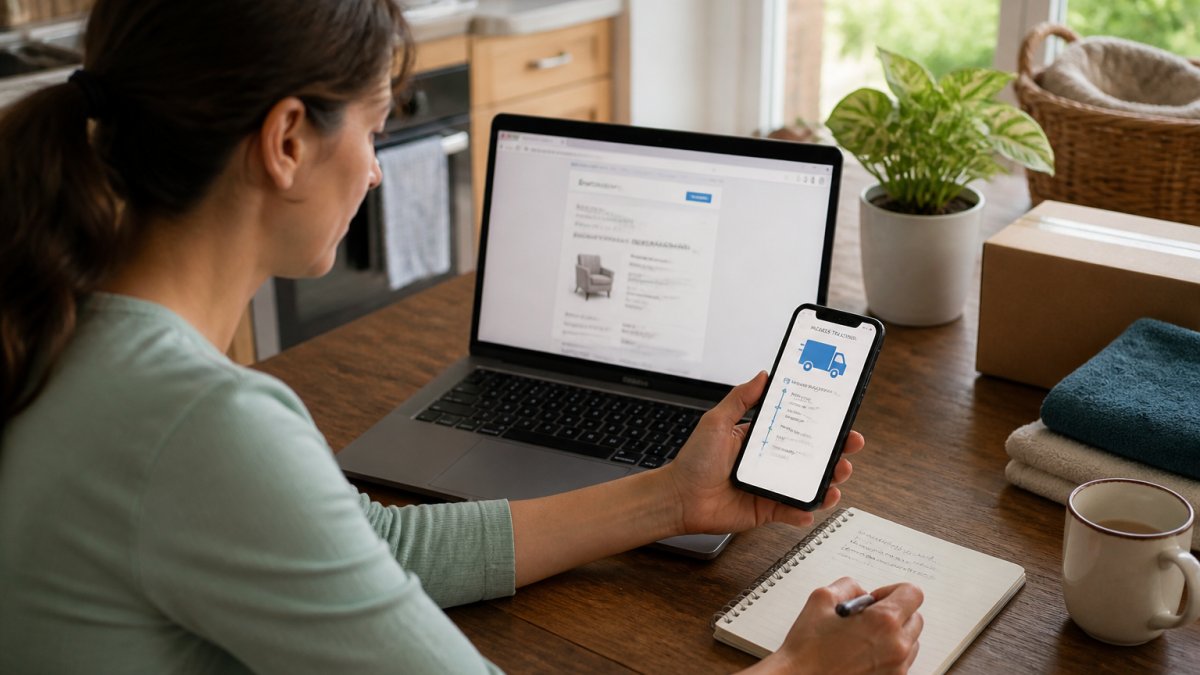
This guide walks through that workflow, then covers failed tracking numbers, stalled scans, and missing packages.
Step 1: Locate Your Order Confirmation
Your order confirmation is the email a retailer sends right after you pay. It lists every item, the order number, and the total. Search your inbox for the store name plus "confirmation."
If you checked out as a guest, this email is your only record, so star it or file it somewhere you will remember.
Step 2: Find Your Tracking Number
The tracking number is the string of letters and digits a carrier uses to identify your parcel. It normally appears in a separate shipping confirmation email, sent when the order leaves the warehouse.
Look for a line like "Track your package" or a clickable tracking link. Copy the full number, including any letters at the start.
Step 3: Use the Carrier's Tracking Page
Go to the carrier's official website and paste the number into its tracking box. Most carriers also offer an app with the same tool.
You do not need an account to check a shipment. The tracking page shows the current scan, the delivery progress, and the latest estimated delivery date.
Step 4: Check Estimated Delivery Date and Status
The estimated delivery date is a forecast, not a promise. It shifts as the parcel moves and the carrier updates its route.
Read the status line first, then the scan history below it. "In transit" means the parcel is moving; "label created" means it has not been handed to the carrier yet.
How to Check Online Order Status from Any Retailer
Order status lives in two places: your customer account or a guest tracking page. An account keeps every order in one purchase history; guest tracking needs the order number and email each time.
Stores label statuses differently and sometimes contradict the carrier's page. The workflow below works across retailers because it relies on the two data points every store must expose: the order number and the email used at checkout.
A Single Workflow That Works Across Retailers
- Open the order confirmation email first. It contains the order number and the store's order-status link. If you deleted it, skip to step 3.
- Try the retailer's order-status page before the carrier's page. Search the store name plus "order status" or "track order." Most stores expose a public lookup form that accepts an order number and email, no password required.
- If the store requires an account, use password recovery instead of creating a new account. Enter the email you checked out with and request a reset link to keep the order attached to your purchase history.
- Cross-check the carrier page only when the retailer page stalls. Retailer pages cache carrier data and can lag by hours; the carrier's page is the source of truth for scans.
- Record the status label and timestamp. Statuses like "processing," "awaiting shipment," and "shipped" mean different things at different stores. A timestamp lets you tell a genuine delay from a stale page.
Comparing the Four Ways to Check Order Status
| Method | Best for | Trade-off |
|---|---|---|
| Retailer account | Repeat shoppers with many orders | Requires login; some stores bury tracking under "order details" |
| Guest order lookup | One-off purchases | Needs order number and email every time; not all stores offer it |
| Shipping confirmation email | Quick single-parcel checks | Link can expire; email may land in spam |
| Carrier tracking page | Real-time scan data | Requires the tracking number; does not show order contents or return windows |
Use the retailer page to confirm what you bought and whether it shipped; use the carrier page to confirm where it is right now. When they disagree, trust the carrier for location and the retailer for order contents and return eligibility.
When the Retailer's Status Page Fails
An "order not found" result is usually a data-matching problem, not a lost order. Check these in order:
- Email mismatch: the lookup often requires the exact email used at checkout, including any plus-addressing (name+store@example.com).
- Order number format: some stores require the prefix (for example, a leading "#" or "ORD-"); others reject it. Try both.
- Guest checkout with a different email: if you used Apple Pay, PayPal, or a social login, the order may be tied to the payment provider's email rather than your inbox.
If all four fail, contact support with the order number, the email on the order, and the delivery address. Ask them to confirm the order exists and resend the confirmation. Keep the reply, it doubles as proof if a dispute starts later.
How to Find a Tracking Number When It Is Not in Your Email
A missing tracking number is usually a sorting problem, not a lost parcel. Check these three places before contacting anyone.
- Spam and promotions folders: automated shipping emails often land here
- Account purchase history: the tracking link is attached to the order record
- Customer support: they can resend it using your order number
Check Spam and Promotions Folders
Search all mail folders for the carrier name, the store name, and "shipped," filtering by date around your purchase.
Add the store's sending address to your contacts so future delivery updates reach your inbox.
Log In to Your Account and Review Purchase History
Open the order, then look for a "shipment details" or "track order" button. Retailers often store the carrier and tracking number there even when the email went astray.
Contact Customer Support with Your Order Number
Give support your order number, the email on the order, and the delivery address. Ask them to resend the shipping confirmation.
Most teams can pull the tracking link in a couple of minutes. Keep the reply, since it doubles as proof of what they told you.
Free Package Tracking: How to Track Orders Without Paying
Free package tracking covers almost every situation. Carrier websites, official apps, and retailer order pages cost nothing, and you rarely need a paid service.
Third-party tracking apps are free because they monetize your order data. Understanding what an app asks for, and what it does with it, is the difference between convenient tracking and handing a stranger your purchase history.
Carrier Websites and Official Apps
Every major postal and courier service offers free tracking on its site, and the official app adds push notifications. Stick to the carrier's own app rather than a random third-party tracker: you avoid handing your order data to an unknown company, and the scan data is first-party rather than scraped.
Retailer Order Pages and Email Notifications
Retailer order pages pull carrier data into one view, which helps when an order ships in several parcels. Turn on shipping notifications where offered, a delivery update in your inbox beats checking a tracking page five times a day.
What Third-Party Tracking Apps Actually Ask For
Universal trackers that consolidate orders from many retailers usually request one of two levels of access:
- Tracking-number only: you paste a tracking number and the app queries the carrier. Lower risk, but you still type numbers manually.
- Email or inbox access: the app scans your inbox for shipping confirmations and extracts order numbers automatically. Convenient, but it can read far more than shipping emails unless scoped carefully.
Before granting access, check whether the app supports read-only or scoped access, whether it stores email contents on its servers, and whether it lets you delete your data. Apps requiring full inbox access for simple tracking are asking for more than the job needs.
A Safer Free Setup
- Use the carrier's official app for push alerts on parcels already in transit.
- Use the retailer's order page for order contents and return windows.
- If you want a universal tracker, prefer one that accepts pasted tracking numbers over one that requests inbox access.
- Create a dedicated email folder or label for shipping confirmations so you can find tracking numbers without granting any app access.
- Revoke access for any tracking app you stop using, most providers list connected apps in account security settings.
When Paid Tracking Is Worth It
Paid tracking services mainly add consolidated dashboards, longer scan history, and multi-carrier alerts. They make sense for resellers, frequent international shoppers, or anyone managing dozens of parcels a month. For a typical household, carrier apps plus retailer order pages cover the same ground without sharing order data with a third party.
Package Tracking Not Updating: What to Do When Status Stalls
A stalled tracking page is common and usually harmless. Scans happen at handoff points, so a parcel crossing a sorting hub can sit for a day or two with no new entry.
Wait 48 hours before worrying. If the status has not moved after three business days, start asking questions.
Why Tracking Scans Can Pause
- Carrier handoff: the first carrier passed the parcel to a local one
- Weekend and holiday gaps: sorting slows when depots are closed
- International shipment: customs clearance adds days with no scans
Steps to Take When Tracking Stops Moving
- Re-check the number for typos, especially letter and digit swaps
- Confirm the carrier listed matches the one on the tracking page
- Contact the retailer with your order number and the last scan date
- Ask the carrier to open a trace if the retailer cannot help
Delivery Exceptions and Missing Packages: Next Steps
A delivery exception is a carrier notice that a scheduled delivery did not happen, a missed attempt, a wrong address, damage, or a parcel held at a depot.
The notice is not the same as a lost parcel. Most exceptions resolve within a few days once you contact the carrier.
What a Delivery Exception Means
Read the exception code on the tracking page. Common ones include "no one available," "address issue," and "held for pickup."
- Missed attempt: reschedule or collect from the depot
- Address problem: call the carrier and correct it fast
- Held for pickup: bring ID and the tracking number
What to Do If Your Package Says Delivered but Is Missing
Check the porch, the side door, and with neighbours first. Ask the carrier for the delivery photo and the GPS scan point.
If the parcel is truly gone, contact the retailer within its return window and report it. Keep every message, since a missing package claim usually needs a paper trail.
Organizing Tracking and Returns: A Simple System
Tracking and returns share one deadline, so manage them together.
Use this simple system:
| Stage | What to record | Where to keep it |
|---|---|---|
| Order placed | Order number, date, total | Email folder named "Orders" |
| Shipment sent | Carrier, tracking number, first delivery date | Note pinned on your phone |
| Delivered | Delivery date, condition of box | Photo in a "Deliveries" album |
| Return needed | Return window end date, return tracking number | Calendar reminder |
Check the calendar reminder once a week.
That habit alone prevents most WISMO tickets, the "where is my order" messages that clog customer support queues.
Tracking an online order is rarely hard. It becomes frustrating when a confirmation email goes missing, a scan stalls, or a parcel vanishes after a "delivered" notice.
At Nexona Mart, our carefully curated selection of home, pet, and lifestyle goods comes with order tracking and wishlist management for registered users, secure payment options including PayPal, and guest checkout for anyone who wants to skip the account.
Frequently Asked Questions
How do I track something I ordered online?
Start with your order confirmation email and locate the tracking number or tracking link. If you have an account with the retailer, log in and open your order status page or purchase history. Copy the tracking number and enter it on the carrier's website or app. Most carriers show real-time updates, delivery progress, and an estimated delivery date. If you checked out as a guest, use the tracking link in your shipping confirmation email or contact customer support with your order number.
How can I track orders from different stores in one place?
Use a multi-carrier tracking tool or a package tracking app that accepts tracking numbers from multiple carriers. Add each tracking number manually, and the app will show delivery status and updates for all your shipments on one screen. This is helpful for busy households managing orders from several retailers. Always review the app's privacy policy before sharing tracking numbers, and remember that free package tracking tools may show ads or limit the number of shipments you can follow.
What should I do if my tracking information has not updated?
Wait 24 to 48 hours before worrying, because tracking scans can pause during carrier handoffs or weekends. Check the carrier's website directly instead of relying on email notifications. If the status still shows no movement after two business days, contact the retailer's customer support with your order number. They can open a trace with the carrier. For international shipments, allow extra time for customs processing. Keep screenshots of the tracking page in case you need to file a claim.
What should I do if my order says delivered but I cannot find it?
First, check around your property: porches, side doors, mailboxes, and with neighbors. Look for a delivery photo or notice left by the carrier. If you live in a building, ask the front desk or mailroom. Wait until the end of the day, as some carriers mark packages delivered before the final drop. If the package is still missing, contact the retailer within their stated return window. They can file a missing package claim with the carrier and may offer a replacement or refund.