
Is PayPal Safe for Online Shopping?
Quick Summary
For most everyday purchases, yes, paypal safe checkout works well because it keeps your card details off merchant sites, monitors for fraud, and offers buyer protection on eligible purchases. Protection depends on paying through Goods and Services, not personal transfers.
- Pay with the Goods and Services option, since Friends and Family payments can remove buyer protection.
- Turn on multifactor authentication and use a strong, unique password for your PayPal account.
- Keep order confirmations, tracking numbers and photos as evidence in case you need to file a claim.
- Open a dispute and escalate to a claim before PayPal's deadlines, or the case can close without a refund.
Table of Contents
- How Safe Is Shopping Online With PayPal?
- How PayPal Protects Your Payment Information
- PayPal Purchase Protection: What It Covers and What It Doesn't
- What to Do if a Package Says Delivered but Not Received
- How to Spot a Fake Online Store
- Protecting Your PayPal Account From Scams and Takeovers
- Shopping With PayPal at Nexona Mart: Your Next Step
- Frequently Asked Questions
How Safe Is Shopping Online With PayPal?
Last Updated: November 4, 2026
Is it safe to shop online with PayPal? For most everyday purchases, yes, and the reasons are concrete. Shoppers looking for paypal safe checkout options find it accepted widely and backed by real protections.
Safety comes from several layers working together, not from one feature. Payments are encrypted in transit, transactions are monitored for suspicious activity, and buyer protection applies to eligible purchases. None of these layers makes a payment risk-free, and understanding where each one stops is what keeps you protected.
The useful question is not whether PayPal is safe in the abstract but whether a specific purchase is covered. A transaction sent to a friend, a payment to an unverified seller, or a purchase funded in an unusual way can fall outside protection. The sections below explain how the protection works and where its limits are.
How PayPal Protects Your Payment Information
Your card or bank details stay with PayPal rather than being stored by each merchant you buy from. That reduces the number of places your financial information can leak from. PayPal uses encryption to protect data as it moves between your device and its servers, and it runs fraud monitoring to flag payments that look unusual for an account.
Merchants are not always careful with what they collect. That is a privacy trade-off worth knowing about, even though it does not expose your login or card number.
Good account hygiene adds a layer PayPal cannot supply alone. Use a strong, unique password and turn on multifactor authentication in your account settings. Keep your device's software and antivirus protection current, because a compromised laptop is a common route to stolen logins.
PayPal Purchase Protection: What It Covers and What It Doesn't
PayPal Purchase Protection can reimburse you when an item does not arrive or differs significantly from its description. Protection works only if you meet its conditions, so read them before you need them.
A Practical Eligibility Checklist
Before you rely on protection, confirm that the purchase meets the core conditions. A claim is strongest when every item on this list is true:
- You paid through an eligible PayPal checkout for goods or services, not a personal transfer.
- The seller is reachable through PayPal and the transaction appears in your account activity.
- You can show a clear order record: item description, price, date, and the seller's listing or invoice.
- You have contacted the seller first and allowed a reasonable window for a response.
- You are within PayPal's dispute and claim deadlines for the transaction date.
- The problem is a covered one: the item never arrived, arrived damaged, or is materially different from the description.
Keep the evidence that supports each line. Screenshots of the listing, the order confirmation email, tracking numbers, carrier delivery photos, and photos of a damaged or wrong item are the documents a reviewer will actually look at. A claim with clear evidence moves faster than one that relies on memory.
What Is Typically Excluded
Exclusions matter as much as coverage. Some categories of purchase, and some sellers, fall outside the program. Common exclusions include payments sent as personal transfers to family or friends, items that were collected in person, and purchases that violate PayPal's acceptable use policy. Intangible goods and services can also be treated differently from physical shipments. Because the rules change, check the current eligibility terms on PayPal's own help pages before relying on them; the official terms are the authority, not this article.
Watch out: selecting "Friends and Family" to avoid a fee can remove protection. Choose the Goods and Services option when paying.
How to Open a Dispute and Escalate to a Claim
The process follows a predictable sequence, and the deadlines are the part people miss. A common pattern is:
- Contact the seller through PayPal's resolution center and describe the problem in writing.
- If the seller does not resolve it, open a dispute in the resolution center within the window PayPal sets for the transaction.
- Escalate the dispute to a claim if the seller does not respond or the response is unsatisfactory; escalation has its own deadline.
- Submit your documentation: order details, correspondence, tracking, and photos.
- Track the case in the resolution center and respond promptly to any request for more information.
Watch out: a dispute that is not escalated before its deadline can close without a refund. Calendar the escalation date as soon as you open the dispute.
Funding Source: Balance, Bank, Debit or Credit Card
How you pay can change your options after something goes wrong. A PayPal balance, a linked bank account, a debit card and a credit card each route money differently, and that affects how quickly you can recover funds and what other protections you can rely on. Choose the funding source with that fallback in mind.
The core conditions and deadlines for a PayPal Purchase Protection claim are summarised below.
| Step | What to do | Timing |
|---|---|---|
| Contact seller | Describe the problem in writing via resolution center | Before opening a dispute |
| Open dispute | Start a dispute in the resolution center | Within PayPal's set window |
| Escalate to claim | Escalate if seller does not resolve it | Before its own deadline |
| Submit evidence | Order details, correspondence, tracking, photos | When requested |
| Track case | Respond promptly to requests for information | Ongoing until closed |
What to Do if a Package Says Delivered but Not Received
A "delivered" status that you cannot find is one of the most stressful situations in online shopping. Start by checking the tracking details, looking in safe delivery spots, and asking household members or neighbours. Carriers sometimes mark parcels delivered to the wrong address, so confirm the delivery location with the carrier before escalating.
If the item still cannot be found, open a dispute through PayPal promptly. Shipping evidence from the carrier is central to these cases, so keep the tracking number and any delivery photos. Act within the deadlines PayPal sets, because late claims can be declined regardless of how legitimate they are.
How to Spot a Fake Online Store
Most fraud depends on a shop that looks convincing at first glance. The useful skill is not spotting obviously fake sites but testing an unfamiliar store before you pay. Run through these checks in order, and treat any single failure as a reason to slow down.
Seller Legitimacy Checks
- Look for a real business identity: a company name, a physical address, and a contact method beyond a web form. Cross-check the name against public business registries where available.
- Read the returns and shipping policies. A legitimate store states who pays return postage and how long delivery takes; a fake one often has a policy page that is a single vague paragraph.
- Check the domain age and spelling. Newly registered domains and lookalike spellings of known brands are common patterns in fraudulent stores.
- Search the store name alongside words like "scam" or "review" and look for independent discussion, not just testimonials hosted on the site itself.
- Test customer service before buying: send a pre-sale question and see whether a real person answers with specifics.
Checkout Red Flags
Pay attention to the checkout itself. Warning signs include prices far below what the same products cost elsewhere, no clear contact details or company information, and checkout pages that ask for payment through a method PayPal does not cover. Be cautious of sites that push urgency with countdown timers or that have reviews which all sound alike.
Watch out: a seller who asks you to move the payment outside PayPal, or to send it as a "gift" to avoid fees, is removing the protection you came for. Treat that request as a red flag.
Payment Requests That Should Stop You
Some requests are never normal on a legitimate store: paying by bank transfer or cryptocurrency only, sending money to a personal account rather than a business one, or completing payment through a link in an unsolicited email or text. A legitimate store should show a clear returns policy and a way to contact a real person, and it should complete the sale inside its own checkout. If any of those conditions fail, stop.
Protecting Your PayPal Account From Scams and Takeovers
The protection on a purchase does not help if someone takes over your account. Phishing is the usual route: an email or text that imitates PayPal and asks you to log in through a fake page. PayPal will not ask for your password by email, so treat any message that does as suspicious and log in only by typing the address yourself.
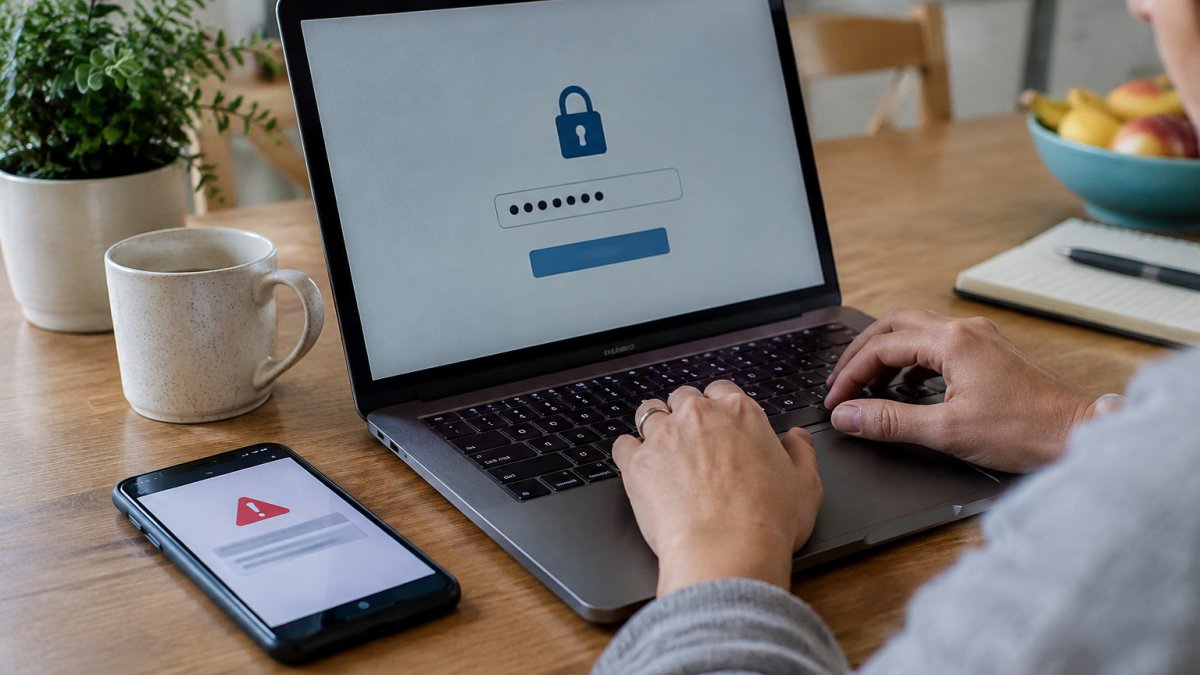
Account takeover prevention rests on a few habits. Enable multifactor authentication, use a password you do not reuse elsewhere, and review your transaction history regularly so an unfamiliar payment is caught early. If you suspect a takeover, change your password, secure your email account first, and contact PayPal immediately so the account can be locked and reviewed.
Shopping With PayPal at Nexona Mart: Your Next Step
PayPal is a strong, sensible choice for online shopping when you use it with the right settings: choose the Goods and Services option, keep your account secured with multifactor authentication, and keep records of every order. Those few steps make the difference between a protected purchase and an unprotected one.
When you are ready to shop, browse our safety protection products to see the items we offer for everyday security, and read our guide to online seasonal deal shopping to find real value before you check out. If a parcel ever goes missing, our step-by-step guide to tracking online orders walks you through the process.
Frequently Asked Questions
Can someone access your bank account through PayPal?
A PayPal payment does not give a seller access to your bank login. PayPal keeps your bank and card details within its own system and shares only what is needed to complete the transaction. Account takeovers usually happen through phishing emails or reused passwords, not through a merchant. Use a unique password, turn on multifactor authentication, and never share a verification code with anyone who contacts you first.
Is there a downside to paying with PayPal?
The main trade-offs are that Purchase Protection only applies to eligible purchases made under the Goods and Services option, and that accounts can be temporarily limited or frozen during a review. Some merchants also add surcharges for PayPal payments. If you pay through a balance or linked bank account, your protection is the same as for a card, but disputes can take longer to resolve than a card chargeback.
Is it safer to use PayPal when shopping online compared to credit cards?
Both are secure when used carefully. PayPal does not share your card or bank number with the merchant, which reduces exposure if a store is compromised. A credit card, however, gives you chargeback rights under federal law in the US and similar consumer rules elsewhere, which can be stronger for some disputes. Using PayPal funded by a credit card combines both layers of protection.
Does PayPal offer protection if I don't receive my item?
Yes, if the purchase is eligible. Under Purchase Protection, you generally need to open a dispute within the stated time window, usually 180 days from the payment date, and choose Goods and Services when paying. Friends and Family payments are not covered. Keep the order confirmation, tracking details, and any messages with the seller, since PayPal may ask for proof.
