
How to Choose Safe Payment Options for Online Shopping
Last Updated: November 7, 2026
Quick Summary
The safest safe payment options for online shopping are credit cards and digital wallets linked to them, because both give you chargeback rights and keep your bank balance out of reach. Debit cards and bank transfers expose more of your own money, so reserve them for small, trusted purchases.
- Digital wallets like Apple Pay, Google Pay and PayPal made up roughly 40% of U.S. online spending in 2025.
- Digital wallets use tokenization, swapping your real card number for a one-time token a thief cannot use.
- For local peer-to-peer pickup, cash on pickup remains the gold standard because you inspect the item first.
- A padlock and https address only prove encryption, so also verify the merchant exists independently.
- After a suspicious charge, freeze your card, call your issuer, and watch statements for 60 days.
Table of Contents
- What Makes a Payment Method Safe for Online Shopping
- The Safest Payment Method When Buying Online: A Side-by-Side Comparison
- Secure Payment Methods Ranked by How Much They Expose You
- Safe Payment Methods for Facebook Marketplace and Peer-to-Peer Sales
- How to Verify a Checkout Page Before You Enter Card Details
- Virtual Card Numbers and Transaction Controls That Limit the Damage
- What to Do After a Suspicious or Fraudulent Transaction
- Paying Safely at Nexona Mart
- Frequently Asked Questions
What Makes a Payment Method Safe for Online Shopping
Digital wallets such as Apple Pay, Google Pay, and PayPal accounted for roughly 40% of U.S. online spending in 2025, according to CNBC Select's reporting on payment safety. That shift matters because safe payment options for online shopping share one trait: they keep your real card number away from the merchant.
A safe payment method is one that limits what a thief can do if a store's systems are breached. It should offer dispute rights, keep your bank account out of reach, and leave a clear paper trail.
Shoppers buying toys, pet supplies, and home tools often ask the same thing: what happens if this goes wrong?
Here is the short answer. Credit cards and digital wallets give you the strongest protection. Debit cards and direct bank transfers expose more of your own money.
Below, we break down each option, rank them by exposure, and show how to check a checkout page before you type a single digit.
The Safest Payment Method When Buying Online: A Side-by-Side Comparison
The safest payment method when buying online is a credit card, closely followed by a digital wallet linked to that card. Both give you chargeback rights and keep your bank balance out of harm's way.
| Payment Method | Fraud Protection | Who Covers the Loss | Best For |
|---|---|---|---|
| Credit card | Strong, legal chargeback rights | Card issuer | Large or unfamiliar purchases |
| Digital wallet | Strong, tokenized card number | Wallet provider and issuer | Everyday checkout speed |
| Debit card | Limited, tied to your cash | Your bank, slower process | Small, trusted purchases |
| Bank transfer / ACH | Weak, hard to reverse | You, in most cases | Bills you already trust |
| Payment app | Varies by app | App's own policy | Friends and family only |
The pattern is simple. The further your money sits from the merchant, the safer you are.
If you want a deeper look at one option, our guide on whether PayPal is safe for online shopping walks through how that specific wallet handles disputes and data.
Secure Payment Methods Ranked by How Much They Expose You
Not all secure payment methods carry the same risk. Rank them by what a fraudster could reach if something breaks.
Credit cards and chargeback rights
Credit cards sit at the top. Federal law gives you the right to dispute charges, and your liability for unauthorized use is generally limited. You are spending the issuer's money, not yours.
A chargeback lets you challenge a charge through your card issuer. The merchant then has to prove the sale was valid. That is real use.
The one drawback: chargebacks take time, often weeks.
Digital wallets and tokenization
Digital wallets use tokenization. Your real card number is swapped for a one-time token. If a merchant's database leaks, the thief gets a useless string of digits.
A 2025 Federal Reserve note on pay-by-bank describes newer methods as cost-efficient alternatives, but tokenized wallets remain the most battle-tested layer of protection for everyday buyers.
Debit cards, bank transfers and payment apps
Debit cards pull straight from your checking account. If fraud happens, that money is gone while the bank investigates. You may get it back, but rent might bounce first.
Bank transfers and ACH payments are worse. They are largely irreversible once sent.
Payment apps land in the middle. They are fine for splitting a bill with a friend. They are a poor choice for buying from a stranger.
Safe Payment Methods for Facebook Marketplace and Peer-to-Peer Sales
Peer-to-peer sales are the one shopping scenario where the payment method matters more than the product. There is no storefront, no merchant account, and often no paper trail unless you create one.
Start with the transaction type, not the app.
Local, in-person pickup. Cash on pickup remains the gold standard because you inspect the item before money changes hands.
Shipped peer-to-peer sales. Use a platform that holds funds in escrow or extends buyer protection until delivery is confirmed. On marketplaces that offer 'buy now' with platform-managed payments, the platform, not the seller, controls the release of funds.
The off-platform playbook. Scammers routinely ask to move the conversation to text or email to 'save fees' or 'avoid the platform hold.' That request is the scam, not a courtesy. Other recurring patterns:
- An overpayment 'by mistake' followed by a request to refund the difference.
- A fake shipping-confirmation email that links to a credential-harvesting page.
- A request for a deposit before you have seen the item or verified the seller's history.
- A 'friend or family' payment request, which typically removes dispute rights.
Watch out: a seller who pressures you to pay before pickup, refuses platform-managed checkout, or asks you to confirm a code sent to your phone is running a known account-takeover pattern, not a sale.
What to keep. Save the listing URL, the seller's profile name, the chat thread, and the payment confirmation. If a dispute arises, platforms and issuers ask for exactly these.
For a broader look at how payment apps fit into safe checkout, see our ranked breakdown above; for local deal hygiene, our guide to what makes a good online deal covers the red flags that show up before payment.
How to Verify a Checkout Page Before You Enter Card Details
A padlock and an 'https' address tell you the connection is encrypted. They do not tell you the merchant is honest. A scam site can buy a certificate in minutes.
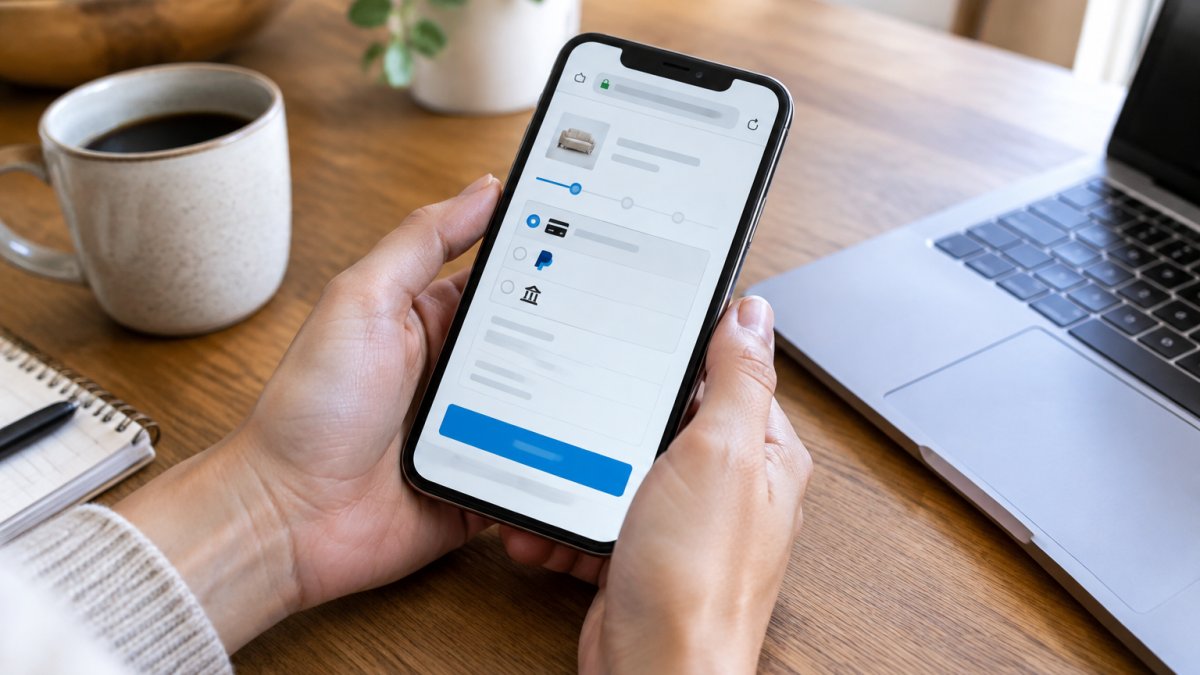
Check 1: The connection.
- The URL starts with https, not http
- The padlock icon appears in the browser bar
- The domain matches the store name, with no odd spelling
- A known payment processor handles the transaction
Check 2: The merchant. Encryption protects the pipe, not the seller. Before you type card details, confirm the business exists independently of the checkout page.
- Search the store name plus 'reviews' and 'scam' and read results on a site you did not arrive from.
- Look for a physical address and a phone number that resolve to a real business, not a virtual mailbox.
- Check that the return policy names a timeframe, a condition, and who pays return shipping.
- Confirm the payment page is hosted by a recognized processor rather than a custom form collecting card data directly.
- Look up the domain's registration age through a public WHOIS lookup; a store claiming years of history on a domain registered weeks ago is a mismatch.
Domain-spoofing patterns to recognize. Scammers rely on visual confusion rather than broken encryption. Common patterns include a hyphenated brand name, a swapped character (rn for m, 1 for l), a different top-level domain than the brand uses, and lookalike subdomains such as brand.secure-checkout.example.
Pressure tactics. A countdown timer, a popup claiming 'only 2 left,' or a checkout that refuses guest payment and demands account creation before showing a total are all reasons to slow down. Legitimate stores show the full price, including shipping and tax, before the payment step.
A 2024 study on secure online payments and e-tail development found that security features directly shape whether shoppers complete a purchase. Trust is earned at checkout, but it has to be verified before it is earned.
Watch out: if the payment page asks for more than card number, expiry, CVV, and billing address, for example a full PIN, a password to your bank, or a photo of your ID, stop and close the tab. No legitimate card checkout needs those.
For more on spotting a trustworthy offer, read our guide to what makes a good online deal.
Virtual Card Numbers and Transaction Controls That Limit the Damage
A virtual card number is a temporary card number tied to your real account. It works for one merchant or one purchase, then it expires.
Most major card issuers offer them. You generate a number in your banking app, spend once, and move on. If that number leaks, it is already dead.
Transaction controls go further. Many banking apps let you:
- Freeze your card instantly
- Set spending limits per merchant
- Block online or international charges
- Get a real-time alert for every charge
These tools turn a bad situation into a minor annoyance. That is the point.
What to Do After a Suspicious or Fraudulent Transaction
Act within hours, not days. The faster you report an unauthorized transaction, the stronger your position.
- Freeze the card or account in your banking app.
- Call your card issuer and report the charge as unauthorized.
- Change your password on the affected store account.
- Turn on two-factor authentication everywhere you shop.
- File a report with your local consumer protection body.
- Watch your statements for 60 days for repeat attempts.
Keep every email and reference number. Dispute resolution runs on documentation.
If the charge came during a sale event, our piece on smart buying during seasonal sales covers how to avoid the same trap twice.
Paying Safely at Nexona Mart
We built our checkout around the protections above. Nexona Mart accepts secure payment options including PayPal. Guest checkout is available if you would rather not create an account.
Registered users get order tracking and wishlist management, which makes it easy to spot a charge you did not make. Product pages include detailed descriptions and specifications.
Paying safely online is not about fear. It is about picking the method that puts a buffer between your money and the merchant.
Choosing where to shop matters as much as how you pay. Nexona Mart curates home, pet, and lifestyle goods with secure payment options like PayPal, guest checkout for quick orders, and order tracking for registered users. Get started with Nexona Mart and check out with confidence.
Frequently Asked Questions
What is the safest way to pay for online shopping?
A credit card or a digital wallet linked to a credit card gives you the strongest protection. Credit cards carry chargeback rights, so you can dispute a charge you never authorised or goods that never arrived. Digital wallets such as Apple Pay, Google Pay and PayPal add a layer on top because they do not share your real card number with the merchant. For large or unfamiliar purchases, use one of these rather than a debit card.
Are credit cards safer than debit cards for online shopping?
Yes, in most cases. A credit card is the card issuer's money, so a disputed charge does not empty your bank account while it is investigated. With a debit card, the money leaves your account immediately and you wait for a refund. Credit cards also come with chargeback rights that let you dispute a transaction with the merchant's bank. If you only have a debit card, link it to a digital wallet so the merchant never sees the underlying number.
What should I check before entering payment details on a website?
Check three things. First, the address bar: the URL should start with https and show a padlock, and the domain should match the shop you meant to visit. Second, the payment page itself: a real checkout should not ask for your card PIN or a full password by email. Third, the merchant's terms: look for a returns policy, a physical address and a contact route. If a deal looks far below market price and the site is new, that combination is a reason to slow down.
What should I do if I think my online payment details have been stolen?
Contact your card issuer or payment provider immediately and ask them to freeze the card or account. Then change the password on the shopping account and anywhere you reused the same password. Check recent transactions line by line and report anything you do not recognise as an unauthorised transaction. In the U.S., you can also report identity theft at IdentityTheft.gov. Keep a written record of the dates and who you spoke to, because dispute resolution usually asks for a timeline.
